
Every family is already a network. Your mother knows which cousin moved to Seattle. Your uncle remembers the name of the town your great-grandfather came from. Your grandmother can tell you, without thinking, how the woman at the wedding is related to you.
The problem is that this knowledge lives in people, not in one place. It sits in memories, in phone contacts with no context, in group chats that scroll away, and in a drawer full of papers. When a generation changes, a lot of it quietly goes with them.
FamRoot is The Living Family Graph: a private network built around your family. It is free to use, and it works best when you start early, while the people who hold the stories are still here to tell them. Here are five reasons to begin today.
1. Your whole family, in one living family tree
Most family trees are built once, by one dedicated person, and then slowly go out of date. FamRoot works differently. You add yourself and the people closest to you, then invite relatives to add their own branches. Each person keeps their own corner current, so the whole tree stays accurate without one person doing all the work. Every member of the tree is a moderator. Existing members approve who joins next, so the tree stays in the family's hands, not one person's.
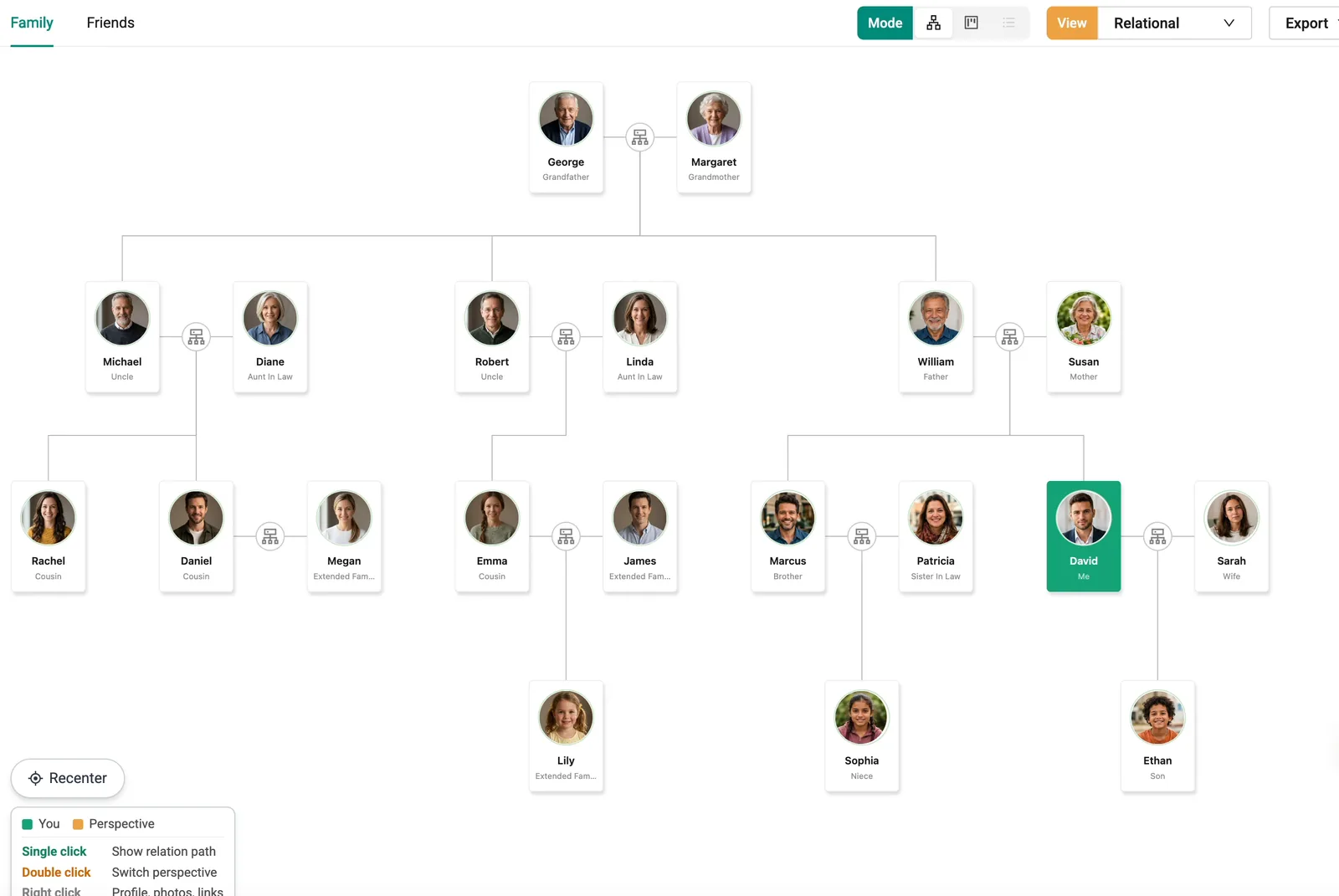
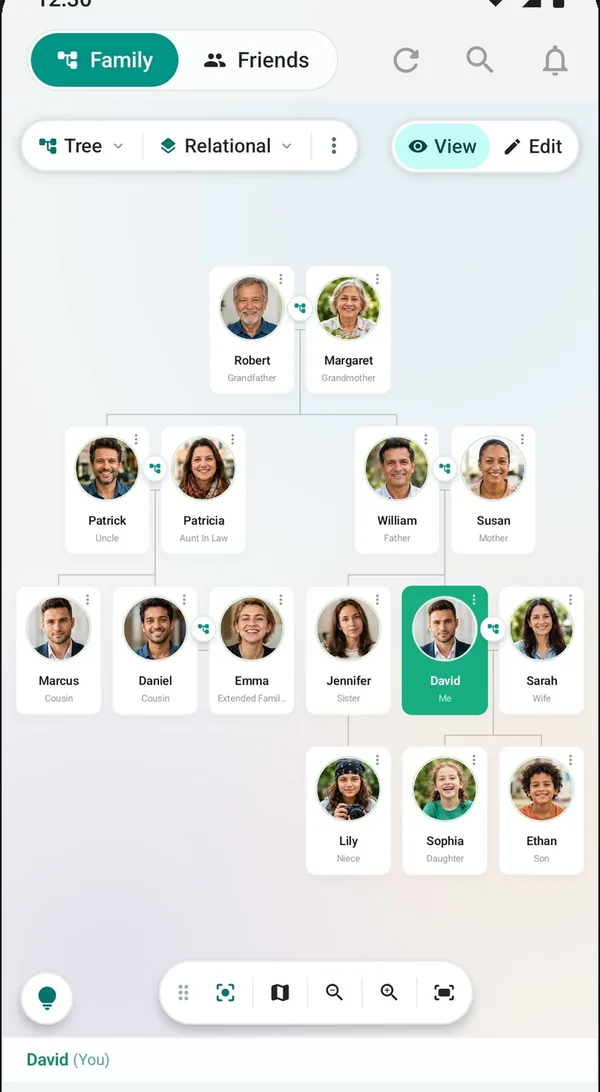
The tree is built for real families, not tidy diagrams:
- Multiple generations, from grandparents to the newest baby.
- Spouses, adoptions and multiple marriages, recorded the way your family actually is.
- Shared care for accuracy. When someone requests a change to a relationship and the tree has more than one user, at least one other user has to approve it.
When you add a relative, an invite is selected by default, so they receive an SMS with a link to join. If you would rather not notify someone yet, you can untick it.
If you have ever been asked "so how exactly are you related?" at a family function and had to call your mother to find out, this is the part you will enjoy most. See how the Family Tree works.
2. Know who is calling, and how you are related
A number flashes on your screen. It is a relative, but which one? Smart Caller ID shows the caller's name along with the relationship, such as "Aunt" or "Cousin's wife". Tap it and you can see the full path, for example You, then your mother, then her sister, then her son, then his wife.
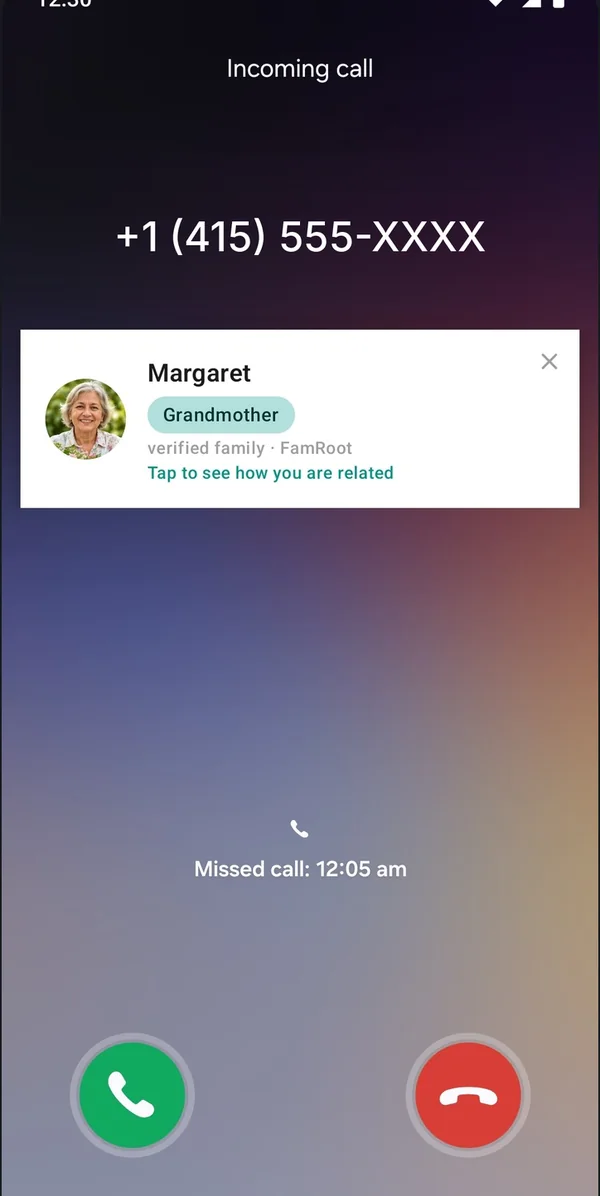
It identifies family and relatives in your network, up to seven relationship levels away. And it is designed with privacy in mind: no call data leaves your phone. Only phone numbers are sent to FamRoot's server to look up the relationship, and call logs are not stored on the server.
One honest note: Smart Caller ID is available on Android only, as part of the FamRoot Android app, which is launching shortly. iOS is being evaluated. Read more about Smart Caller ID.
3. Friends and pets belong in the picture too
Some of the most important people in your life are not related to you at all. The school friend who is basically family. The neighbour who has known you since you were five. FamRoot lets you keep them in the same private network, each with a label that reflects how close you are: Close friend, Friend or Just know. A fourth label, Knows me, lists the people who have added you to their network. Friends see your profile, not your family tree, so your relatives' details stay within the family.
And the dog who has been at every birthday? Pets sit on your family tree alongside everyone else, with their own pet profile: a name, description, date of birth and up to three photos. If a pet has passed away, you can record that as well, so they stay part of the family story. Learn more about Friends and Pets.
4. Say the things that should outlast the conversation
Some words are meant for a particular day. Some are meant for after you are gone. FamRoot's Vault gives both a private home.
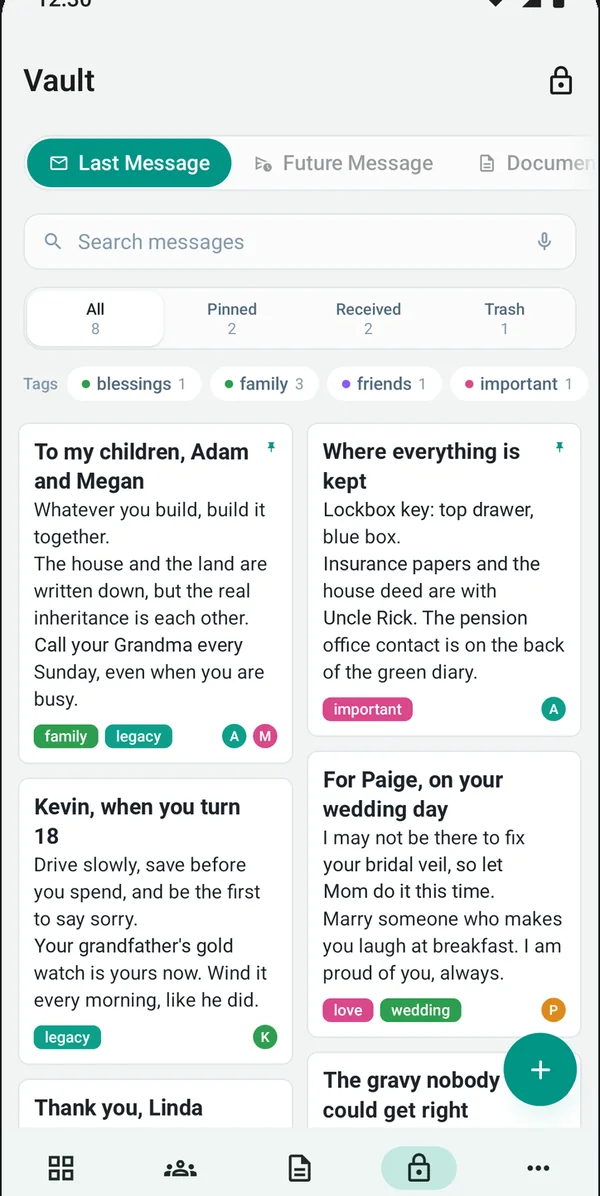
- Future Messages. Write a text, record a voice note or make a video today, and schedule it for a birthday, a wedding day, an anniversary or another milestone. You can even write to your future self. Messages are attached to the recipient's family profile and delivered once that person is a FamRoot user. You can edit or delete them any time before delivery.
- Last Message. Leave a message for one or more people in your circle, released only after a verified death report by close family.
A private place for family documents and a private diary are planned for a later release.
The best time to record your grandmother telling the story of her wedding day is while she can still tell it.
Each user has 1 GB of free Vault storage. If you are not sure where to begin, our guide on what to write in a message for the future has prompts and examples. Explore the Vault.
5. Private by design, and free
Family information is personal: relationships, phone numbers, photos, memories. It should not become public by accident. That is why FamRoot is built as a private network.
- No public link to your tree. Content is visible to relatives connected within seven relationship levels and to people in your circle.
- Data stored in India. FamRoot runs on AWS in the Mumbai region, and all data in transit uses HTTPS.
- Extra protection for the most personal content. Notes and last messages are encrypted with AES-256, and the Vault has its own password.
- Clear about staff access. By process and policy, FamRoot staff do not view your Vault content, except where the law requires.
We would rather be plain than impressive: FamRoot has no security certifications or external audits yet, and we say so. You can read exactly how we handle data on our Data & Security page.
And FamRoot is completely free today, with every feature included. If paid subscriptions are introduced in future, we will give reasonable advance notice, and nobody will be charged without agreeing first.
Why today, and not someday?
Because a family tree gets harder to build the longer you wait. Elders hold details that no record will ever have: nicknames, which branch moved where, who was adopted into the family and why that mattered. Starting with even ten people today is better than planning a perfect tree for next year.
Getting started is simple:
- Sign up with your name, email, mobile number and country.
- We review each sign-up and email you an invite link to join.
- Verify your mobile number by SMS, add yourself and your closest family, and invite them to add theirs.
FamRoot works on the web today. The Android app is launching shortly, and an iOS app is in development. For a step-by-step walkthrough, see how FamRoot works, or read our practical guide on how to build your family tree.
Ready to start with your branch? It takes a few minutes to add your closest family, and the rest of the tree grows from there. Sign up for free.