
Build a Family Tree That Stays Connected
Build a family tree that stays connected to the people who make it real. Add your relatives, invite them in, and let everyone keep their own corner current.
Free to use. Web app today, Android app launching shortly, iOS in development.
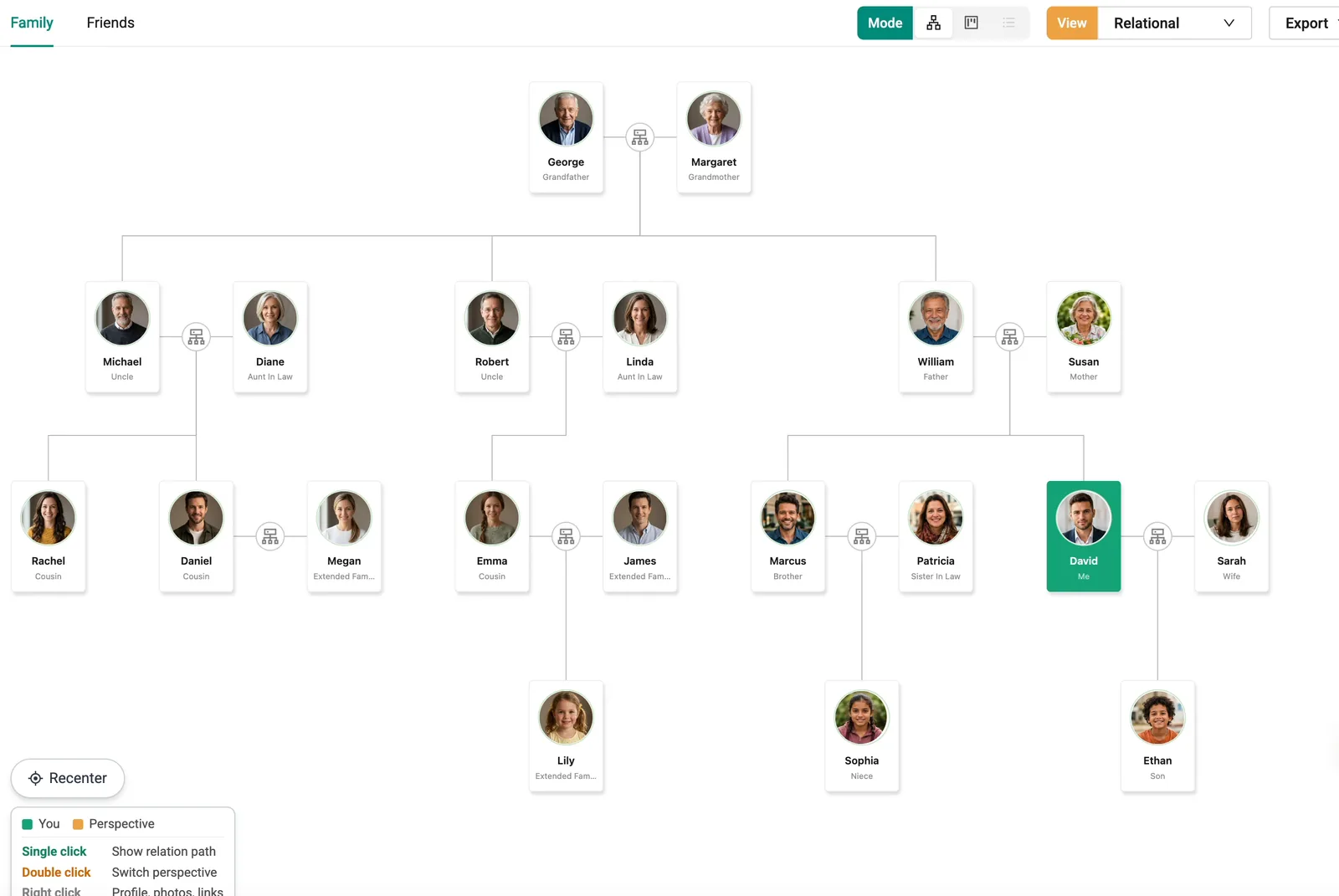
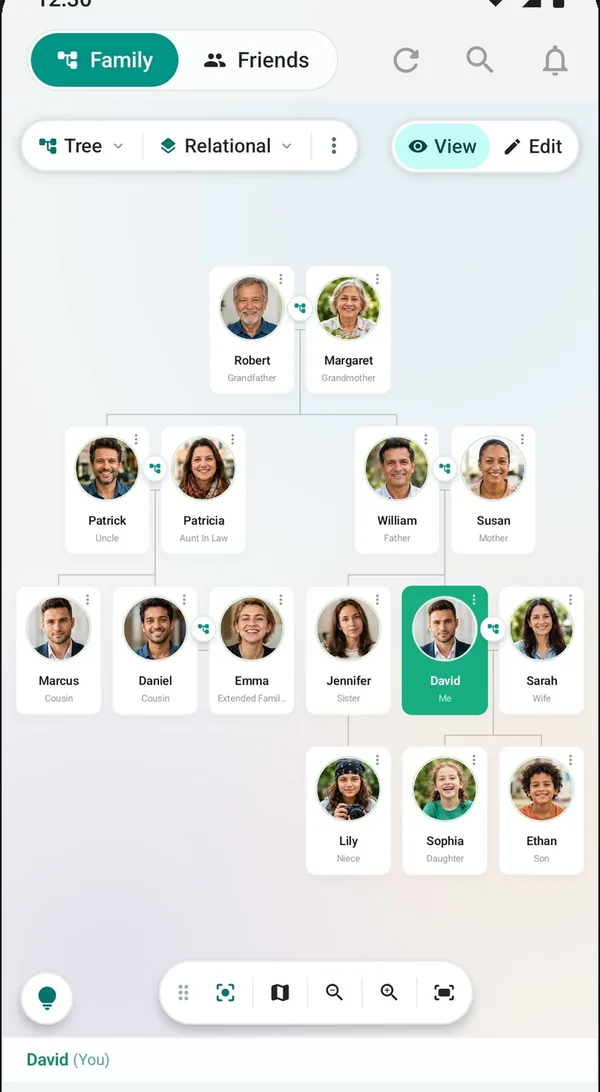
Start with yourself. Grow it with your family.
Most family trees are built by one patient person. On FamRoot, the work is shared, so the tree keeps growing long after the first evening you spend on it.
Build your tree
Sign up for free. Once your sign-up is approved, you get an invite link by email. Your tree starts with you.
Add relatives
Add your parents, siblings, spouse and children, then keep going. You can add someone before they have an account.
Invite family
When you add a relative, they get an SMS with a link to join. Once they are in, they add their own side of the family.
Discover relationships
Pick anyone in the tree and see the path between you, step by step, along with your relationship level.
Keep it updated
Everyone maintains their own details. Changes to relationships are requested and approved by another member of the tree.
Connect generations
Grandparents, grandchildren and everyone in between, including spouses, adoptions and multiple marriages.
Add Margaret today. She can join whenever she's ready.
You don't have to wait for anyone to sign up. Add a relative with the details you know, and they appear in your family tree straight away.
When you add someone, Invite is ticked by default. They receive an SMS with an invite link so they can join the tree and look after their own profile. If you'd rather not notify them yet, untick it and they won't be contacted.
- Invites by SMS. Each invite carries a link to join your tree. WhatsApp invites are planned.
- Each person adds their side. Your cousin in Seattle knows her in-laws far better than you do. Let her add them.
- Respect for people who aren't users. Anyone who finds their details on FamRoot can email support@famroot.com. We remove the details and make sure they are not added again.
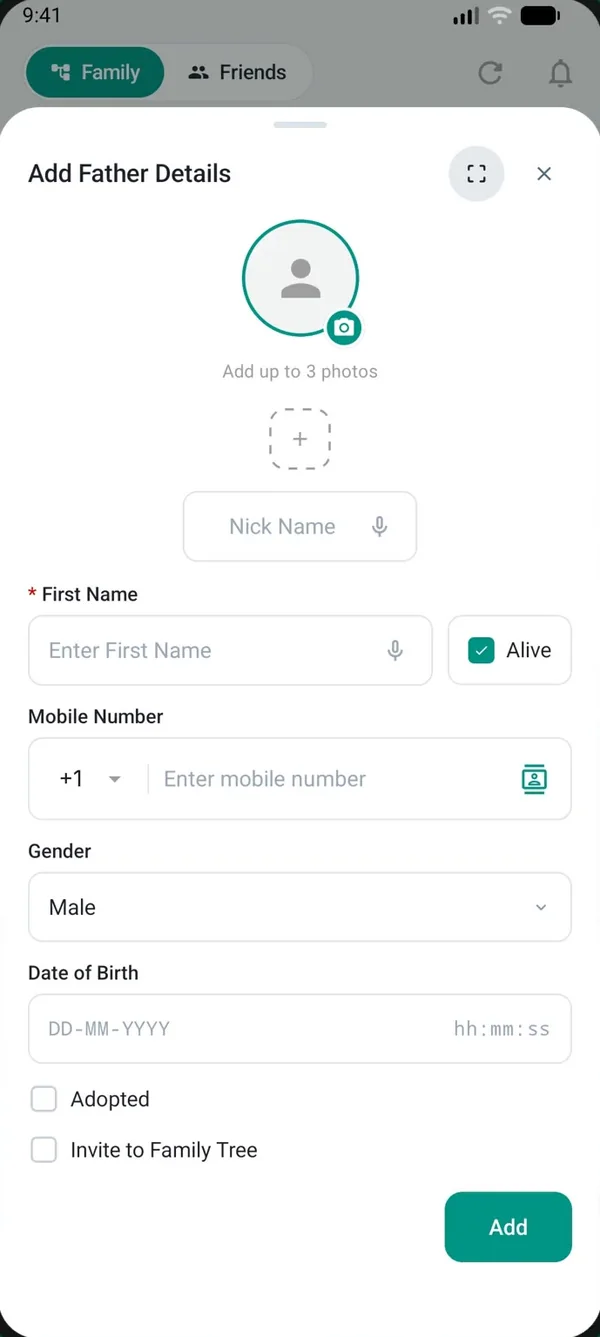
See exactly how you're related.
A family relationship chart tells you a name. FamRoot shows you the route. Choose anyone in your tree and you see each step between you, along with the relationship level.
Tap anyone and FamRoot shows the route: you, your father, his mother, Grandmother, level 2. It works just as well for your mother's sister's son's wife: Cousin's wife, level 5. No more guessing at weddings.
Connected relationships make other things possible too. With Smart Caller ID on Android, when Margaret calls from a number you never saved, FamRoot shows that she's your grandmother. And you can search your family by profession, place or relationship.
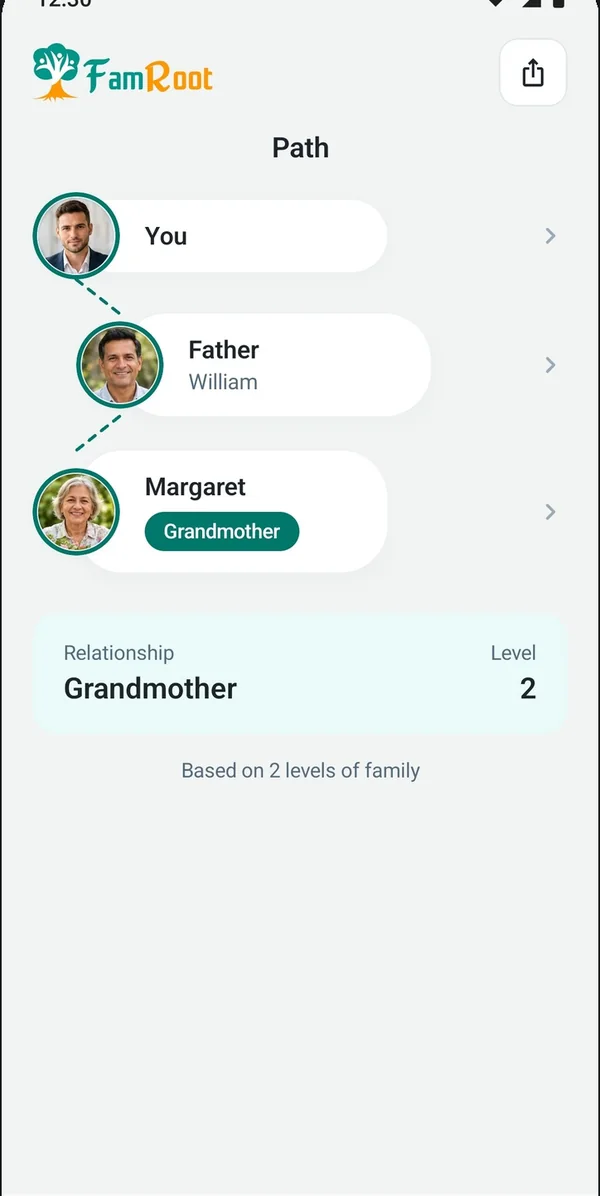
A family tree everyone looks after.
Trees go out of date when one person carries them. FamRoot spreads the job across the whole family, with checks in place for the changes that matter.
Everyone maintains their own corner
When your cousin changes her number or moves city, she updates it once, and the whole family sees the current details.
Relationship changes are approved
Any user of the tree can request to edit or remove a relationship. If the tree has more than one user, at least one other user must approve it.
Real families, real structures
Multiple generations, spouses, adoptions and multiple marriages all have a place in the tree. So do pets, with their own pet profile.
A genealogy tree records the past. A living family tree keeps up with the present.
Traditional family tree makers are built for research. FamRoot is built for the family you have today, with your family tree at its heart.
Traditional genealogy tools
Usually maintained by one dedicated researcher. Focused on names, dates and historical records, and mostly fixed once they're found.
FamRoot's living family tree
Maintained by the relatives in it. Each person keeps their own details current, so the tree stays accurate as life changes.
Mostly about ancestors
Great for tracing where the family came from. Less useful for who to call when you land in Boston.
Useful every day
See how anyone is related to you, recognise relatives when they call, and find family by profession or place.
A record of people
The tree holds the facts about each person, and that is usually where it stops.
A network around people
Pets on the tree, friends, memories, a private Vault and future messages, all connected to the same family.
Your family tree is not a public page.
An online family tree holds names, relationships and phone numbers. That should stay inside the family.
Owned by the family, not one person
Every member of the tree is a moderator. Existing members approve who joins next, so the tree stays in the family's hands, not one person's. There is no public link and no way to browse it from outside.
Seven relationship levels
Content is visible to relatives connected within seven relationship levels, and to people in your circle.
Friends see your profile, not your tree
When you add a friend, they can see your profile only. More about friends.
Family tree questions
Is FamRoot's family tree app free?
Yes. FamRoot is completely free today, with all features included. Paid subscriptions may be introduced in future. If that happens, we will give reasonable notice in advance, and nobody is charged without agreeing to it.
How do I start a family tree on FamRoot?
Fill in the sign-up form with your name, email, mobile number and country. We review each sign-up and, once it is approved, email you an invite link to join. Then add yourself, your closest relatives, and invite them to add their side.
Can I add relatives who aren't on FamRoot yet?
Yes. You can add a relative before they have an account. Invite is ticked by default, so they receive an SMS with a link to join. If you untick it, they are not notified.
Who decides who can join the tree?
The family does, together. Every member of the tree is a moderator. The person who creates the tree lets the next member in, those two let the next one in, and so on. Existing members approve who joins next, so the tree stays in the family's hands, not one person's.
Who can see my family tree?
Your tree is private, with no public link. Content is visible to relatives connected within seven relationship levels and to people in your circle. Friends you add can see your profile, but not your family tree.
What is a relationship level?
It shows how closely two people are connected through the tree. Close family sits at the lowest levels, and the number rises as the path between you gets longer. Your mother's sister's son's wife, for example, appears as your cousin's wife at level 5. Levels count relationships, not generations.
Who can change or remove a relationship?
Any user of the tree can request an edit or a removal. If the tree has more than one user, at least one other user must approve the request before it takes effect.
Can I import a GEDCOM file or export my family tree?
Not yet. GEDCOM import and tree export are both in the pipeline, but neither is available today. For now, trees are built directly in FamRoot.
Does FamRoot handle adoptions and multiple marriages?
Yes. The tree supports multiple generations, spouses, adoptions and multiple marriages.
What happens to the tree if the person who created it deletes their account?
The tree becomes an orphan tree. If it holds phone numbers, a person whose number is in the tree joins it on sign-up without needing approval. An orphan tree with no contact numbers is removed by a scheduled purge.
Someone added my details and I'm not a FamRoot user. What can I do?
Email support@famroot.com or grievances@famroot.com. We remove your details and make sure they are not added again.
Is there a mobile app?
FamRoot works as a web app today. The Android app is launching shortly, and the iOS app is in development.
More answers in the FAQ.
Build your family tree.
Start with your branch today. Your family will help with the rest.
Build your family tree